Open a document beside the paper
- Open the paper you are reading.
- Open the document:
- Choose … › Open a document beside the paper… and pick the file. You can also drop a document onto the reader.
- Click Open file in the bar at the top, or press Ctrl+O. The Import button above the paper has Open file… too, and you can drop a file onto the window.
- Choose ⋮ › Open a document beside the paper… and pick the file. You can also drop a document onto the reader.
- The document appears next to the paper: in a column on the right on iPad, Mac and Android (as a sheet on a phone), in the second pane on Windows.
- Keep writing in Word (or your usual app). Each time you save there, the view in Rectoly updates and shows when it was last updated.
To close the document, press × at the top of its column or pane.
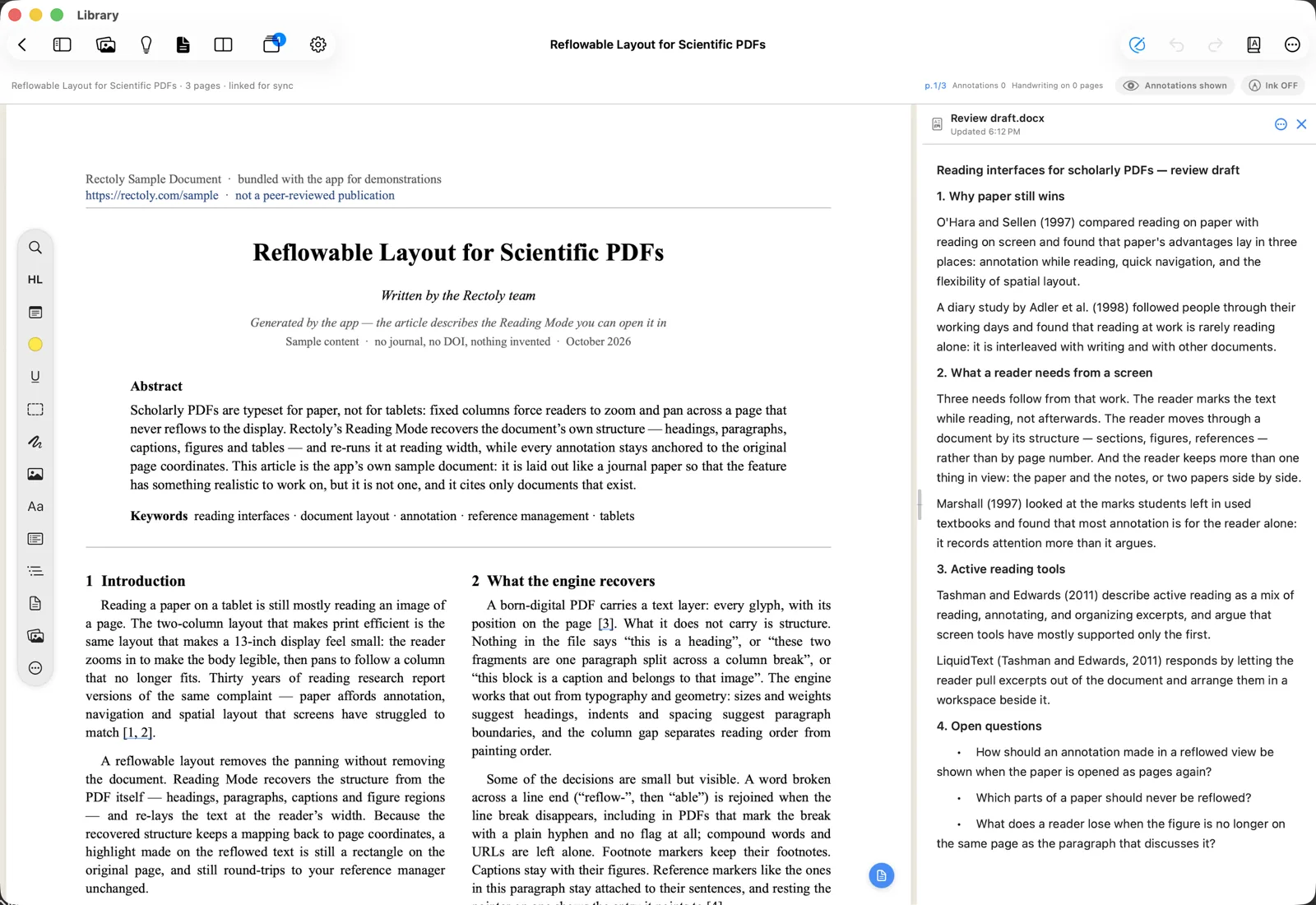
Showing a document beside the paper is included in the purchase. It is free during the 14-day trial and beside the sample paper.
Which files open
- Word (
.docx,.doc), OpenDocument (.odt), RTF, Markdown (.md) and plain text (.txt). They are shown read-only; you write in their own app. - Word (
.docx,.doc), OpenDocument (.odt) and RTF are shown read-only as a preview. Open in Word (or Open in its app) takes you to the file. - Text notes (
.md,.txt) open as notes you edit right in Rectoly. They save by themselves. - An old Word
.docfile is shown as text only. - If the file cannot be found or read for a moment, the last version stays on screen.
Password-protected documents
A document protected with a password asks for it when it opens. Type it and choose Open. The password is kept in memory only while the document is open, and is never saved.
Notes you write in Rectoly
- Import › New note… creates a Markdown file where you choose and opens it beside the paper.
- You can send passages from the paper into the note, and a note can serve as a research theme. See Research themes.
- If another app changes the file while you are writing, Rectoly does not save over it. Choose Load the file's version or Keep mine.