Now on the App Store

The iPad reader Mendeley users have been waiting forThe Android reader Mendeley users have been waiting for

Rectoly for Mendeley is an independent reader for iPad, iPhone, Android, Mac, Windows and Linux. It signs in with your Mendeley account, opens your library, and lets you highlight, annotate and write with Apple Pencil.Rectoly for Mendeley is an independent reader for iPad, iPhone, Android, Mac, Windows and Linux. It signs in with your Mendeley account, opens your library, and lets you highlight, annotate and write with a stylus.

Free for 14 days · then $49.99, once · Mac: macOS 14.0 or later, Apple silicon · Android: Android 9 or later, 64-bit

Rectoly for Mendeley — a paper in Reading Mode on iPad, beside its source page, highlighted and annotated with Apple Pencil
Rectoly on an Android tablet: a PDF opens in Reading Mode, gets a highlight and an underline, then sits beside its source page with a figure pinned

Five years without an app

When Mendeley shut down its mobile app, researchers everywhere lost access to their libraries on the go. The community workaround stopped being maintained too. The gap stayed open for five years.

✕
2019
Community workaround app: last update
✕
2021
Mendeley official mobile app shut down
→
Now
Rectoly fills the gap

Made for reading papers

Your library is the start. The rest is a reader made for papers: reflow, annotation, and figures beside the text.

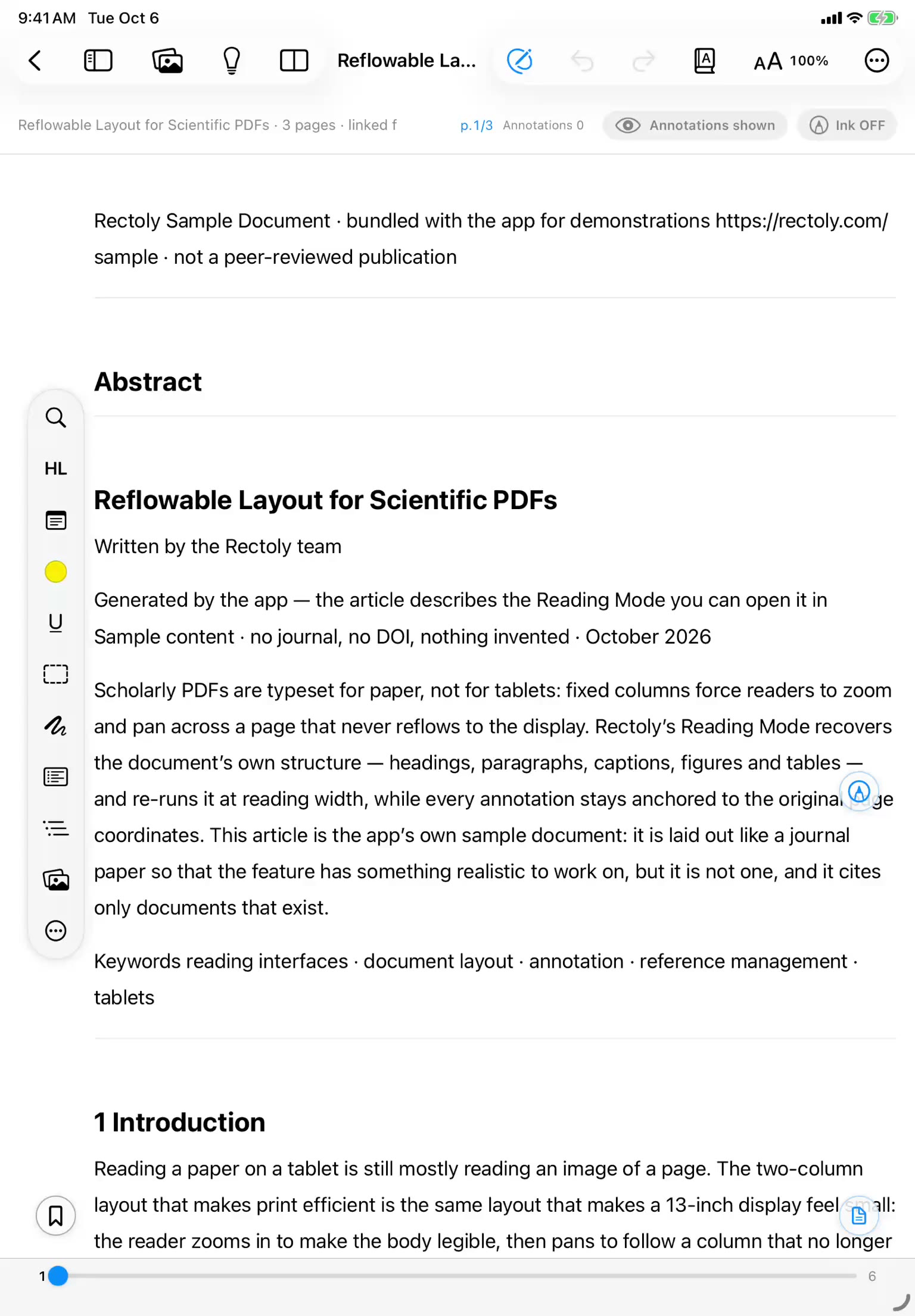
Reading Mode

Two-column papers reflow into one clean column — readable on a phone or in a narrow split view. The original PDF stays where it is; jump back to the exact page anytime.

Learn MoreLearn More

Mendeley Sync

Connect your Mendeley account and access your entire library. Your folders, references, and metadata — always up to date.

Learn MoreLearn More

Annotate anywhere

Highlights, underlines, sticky notes and Apple Pencil — on the PDF or inside Reading Mode, where handwriting scales with the text. Highlights and notes sync back to Mendeley.Highlights, underlines, sticky notes and stylus handwriting — on the PDF or inside Reading Mode, where handwriting scales with the text. Highlights and notes sync back to Mendeley.

Learn MoreLearn More

Read beside the figure

Pin a figure beside the text and keep reading instead of scrolling back to it. Or split the reader: Reading Mode on one side, the original page on the other.

Learn MoreLearn More

Your notes stay yours

Handwriting is backed up to iCloud with a version history you can restore, and exports as JSON. Nothing is locked inside Rectoly.

Learn MoreLearn More

20 Languages

Localized for researchers worldwide. Available in English, Japanese, Chinese, Spanish, German, French, and 14 more languages.

New — translation that runs on your device

Every paper, in the language you read in.

Rectoly translates a paper into the language you read in, and the model that does the translating runs on your own machine. Download it once and translation keeps working with the network switched off — a paper under review, a draft nobody has seen, never leaves the device. And a tablet too small to run the model can hand the work to your computer and get the translation back.

English into 19 languagesRuns on the deviceWorks offlineThe paper never leavesOriginal ⇄ translationTranslated ahead of youYour computer can do the workIncluded in the purchase

See how translation works

A paragraph in Reading Mode with its translation below it
A PDF page switched from the original to the translation

See it in action

Three short recordings from the iPad.Three short recordings from an Android tablet.

Library view synced with Mendeley
A paper library on an Android tablet, browsed by collection

Your full library, synced

Browse your Mendeley folders, collections and papers. Downloaded papers read offline.

Annotation with highlights and sticky notes
A highlight and an underline made in Reading Mode on an Android tablet

Highlights, notes and ink

Highlights, sticky notes, and Apple Pencil handwriting on your papers.Highlights, underlines and sticky notes, and handwriting with a stylus.

Split view for side-by-side reading
Reading Mode beside the original PDF page on an Android tablet

Split view

Read two pages side by side, or two papers.

One price, paid once

No subscription and nothing to renew. Buy it once, and it stays on the lab iPad for as long as the iPad does.

$ 49.99
One-time purchase · No subscription
Try every feature free for 14 days.
  • Mendeley account sync
  • Full PDF reading & annotation
  • Apple Pencil supportStylus support
  • 20 languages supported
  • Dark mode & split view
  • Works offline once synced
  • Downloaded papers stay readable after the trial
  • On-device AI translation of the paper
Download on the App Store Download for Windows Download for Mac Download for Linux Download for Android

Questions about Rectoly for Mendeley

Rectoly for Mendeley is an independent reader for iPad, iPhone, Android, Mac, Windows and Linux. It signs in with your Mendeley account, opens the papers in your library, and lets you highlight, annotate and write on them with Apple Pencil.

Is there a Mendeley app for iPad?
Not an official one. Elsevier retired the Mendeley mobile app on March 15, 2021, and has not released a replacement. Rectoly for Mendeley is an independent app that signs in with your Mendeley account and reads your library on iPad, iPhone, Android, Mac, Windows and Linux.
Is Rectoly affiliated with Mendeley or Elsevier?
No. Rectoly is made by an independent developer and is not affiliated with, endorsed by or sponsored by Mendeley Ltd. or Elsevier. A Mendeley account is required to use it.
Do highlights and notes sync back to Mendeley?
Yes. Highlights and text notes are saved into the PDF and written back to Mendeley, so they are there in Mendeley Reference Manager on your computer and stay yours outside Rectoly. Handwriting is attached to the paper in Mendeley as a Rectoly file: Mendeley itself does not draw it, but Rectoly on your other devices does.
Can I use Apple Pencil?
Yes. Write on the PDF page or inside Reading Mode with palm rejection, a highlighter pen and an eraser. Handwriting is backed up to iCloud with a restorable version history and can be exported as JSON, so it is never locked inside Rectoly.
What is Reading Mode?
Reading Mode reflows a two-column paper into one clean column that fits an iPad or iPhone screen, with the original PDF one tap away. You can highlight, add notes and write with Apple Pencil inside the reflowed text, and the annotations still belong to the paper in Mendeley.
How much does Rectoly for Mendeley cost? Is it a subscription?
The download is free, and every feature is free for 14 days. After that it is a one-time purchase of $49.99 with no subscription. One purchase covers iPad, iPhone, Android, Mac, Windows and Linux. Papers you have already downloaded stay readable after the trial.
Can I read offline?
Yes. Downloaded PDFs and your annotations are stored on the device, so you can read and annotate on a plane, on the train or in the field. Changes are sent to Mendeley the next time you are online.
What's next

Updates to the Mendeley and Zotero apps are on the way. Leave your email and we'll tell you.

No spam, ever. Unsubscribe anytime.

Also on Android phones, tablets and E Ink devices

Read with the same library and the same annotations. The app downloads from this site, and one purchase covers it together with iPad, Windows, Mac and Linux.