Traditional PDF reader
Displays documents.
Built around files, pages and zoom. Fine for a quick look. Not much help once you sit down to read.
A better way to read.
Built for people who read papers every day. Rectoly is where you work through a paper: the text, the figures and tables, and the references it leans on.
Most readers exist to render a file correctly. You open a document to do something else: follow a method, check a figure, chase a citation, jump to another paper, and come back. Displaying pages is not the job.
Built around files, pages and zoom. Fine for a quick look. Not much help once you sit down to read.
Built around the structure of a paper and the way you actually move through it.
Rectoly does one thing: reading. Your reference manager keeps the collection. Rectoly keeps you inside the paper, so you follow the argument instead of turning pages.
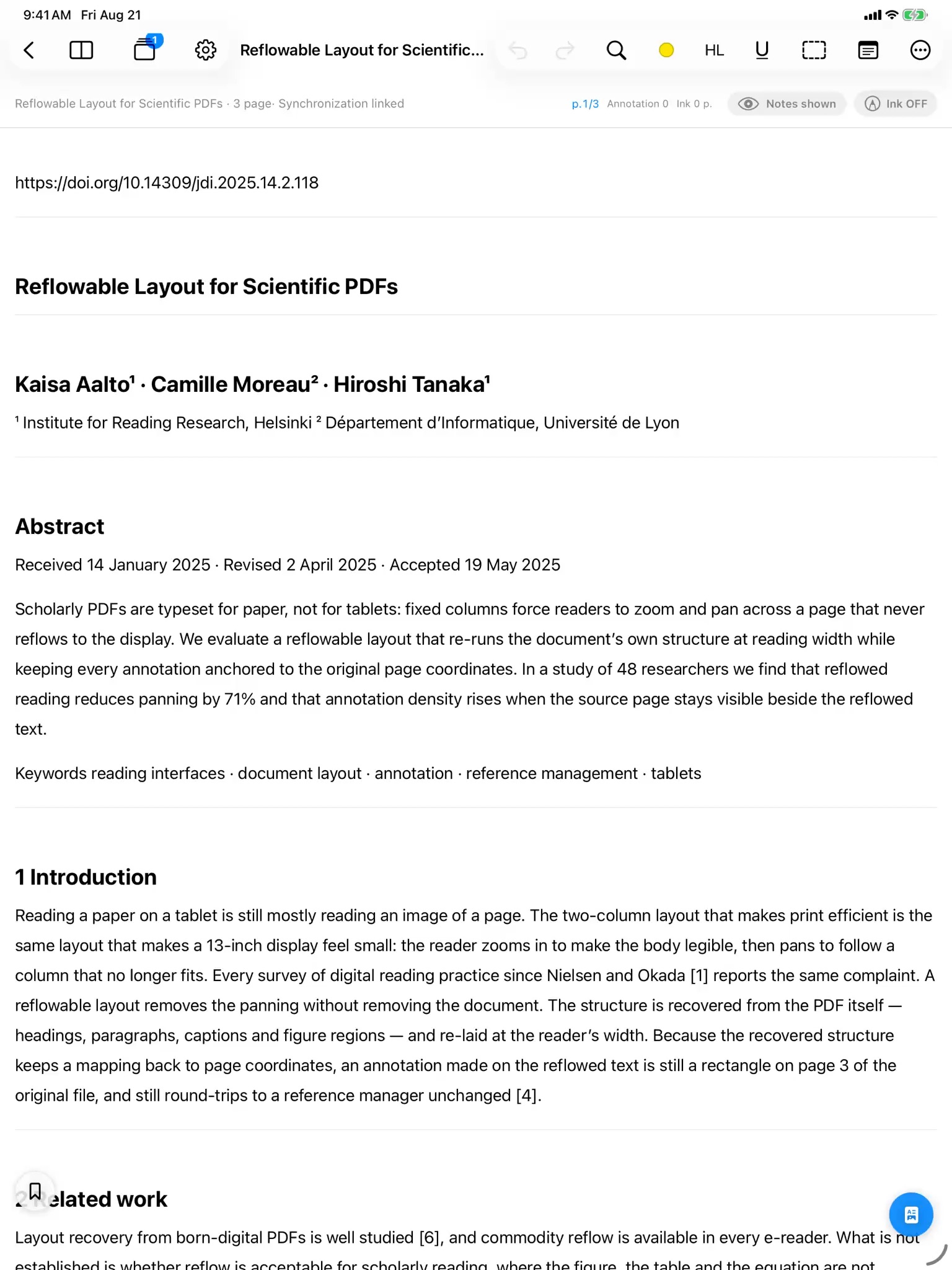
Papers are typeset for paper, not for screens. So Rectoly changes what is on the screen: the layout, where your attention goes, how you compare, how you move around. All of it for one reason: so you don't have to stop reading to do it.


A paper is sections, figures, tables and references. Most readers treat it as a stack of page images, which is why reading on a screen still feels like a chore. Rectoly reads that structure first, and builds the reader on top of it.
Research reading is closer to an IDE than to a slideshow: citation to paper, figure to method, method to supplement. Rectoly is built for those jumps.
As much as possible happens on the device in your hands. The structure, the search index and the handwriting recognition stay next to the file, and nothing has to go to the cloud for you to read. And you buy it once. There is no subscription that needs you to keep coming back.
The iPad and iPhone apps now read aloud, let you choose the typeface and line spacing, search your handwriting, and search across every paper. And Rectoly is now on Android, Windows, Mac and Linux, carrying what you read on a tablet or phone through to your notes and your manuscript — on the same library.
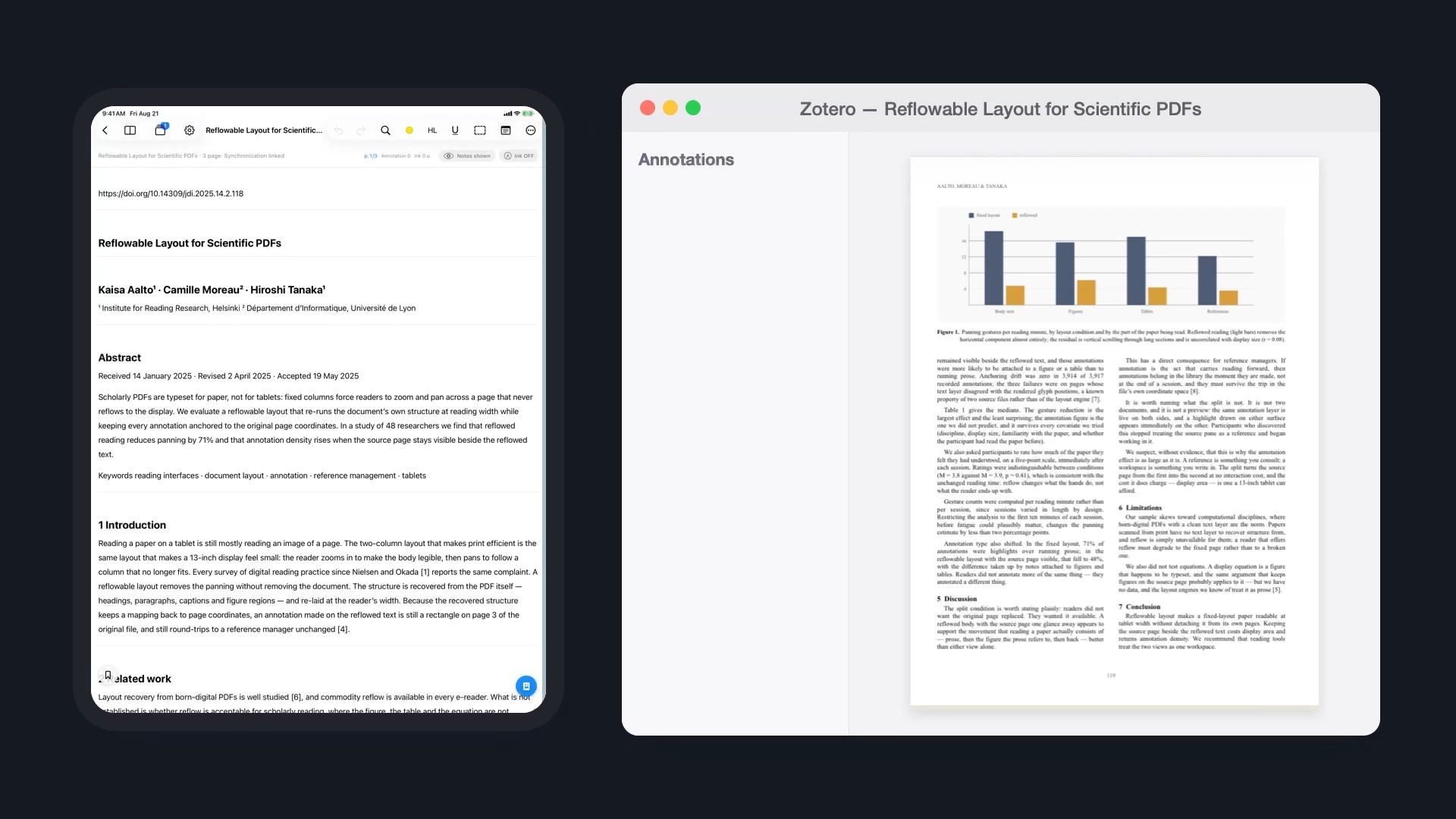
Two-column papers reflowed into one column, Apple Pencil or stylus on the reflowed text, the figure pinned beside it. On the sofa or on the train, the one device you read papers on.


Read papers side by side, gather annotations from every paper, compare them section by section, and hand quotes, figures and tables to Word or Obsidian with their sources attached. On the computer you write on.
Mendeley edition $49.99 · Zotero edition $19.99 — one-time purchases that work on every device signed in to the same account. 14-day free trial.
Any app can display a PDF. The work is in redesigning how a paper is read on a screen: what gets laid out again, what stays in view, where a tap takes you. Rectoly is built around your papers, and paid for once.
Leave your email and we'll write when something new ships: a feature, a platform or an edition.
No spam, ever. Unsubscribe anytime.
Read with the same library and the same annotations. The app downloads from this site, and one purchase covers it together with iPad, Windows, Mac and Linux.