Show a citation card
- Tap a citation such as [12] in the text. In the PDF it opens as a small bubble; in Reading Mode, as a sheet.
- Rest the pointer on a citation for a moment. Citations Rectoly can read have a faint underline.
- Tap a numbered citation such as [12] in the text.
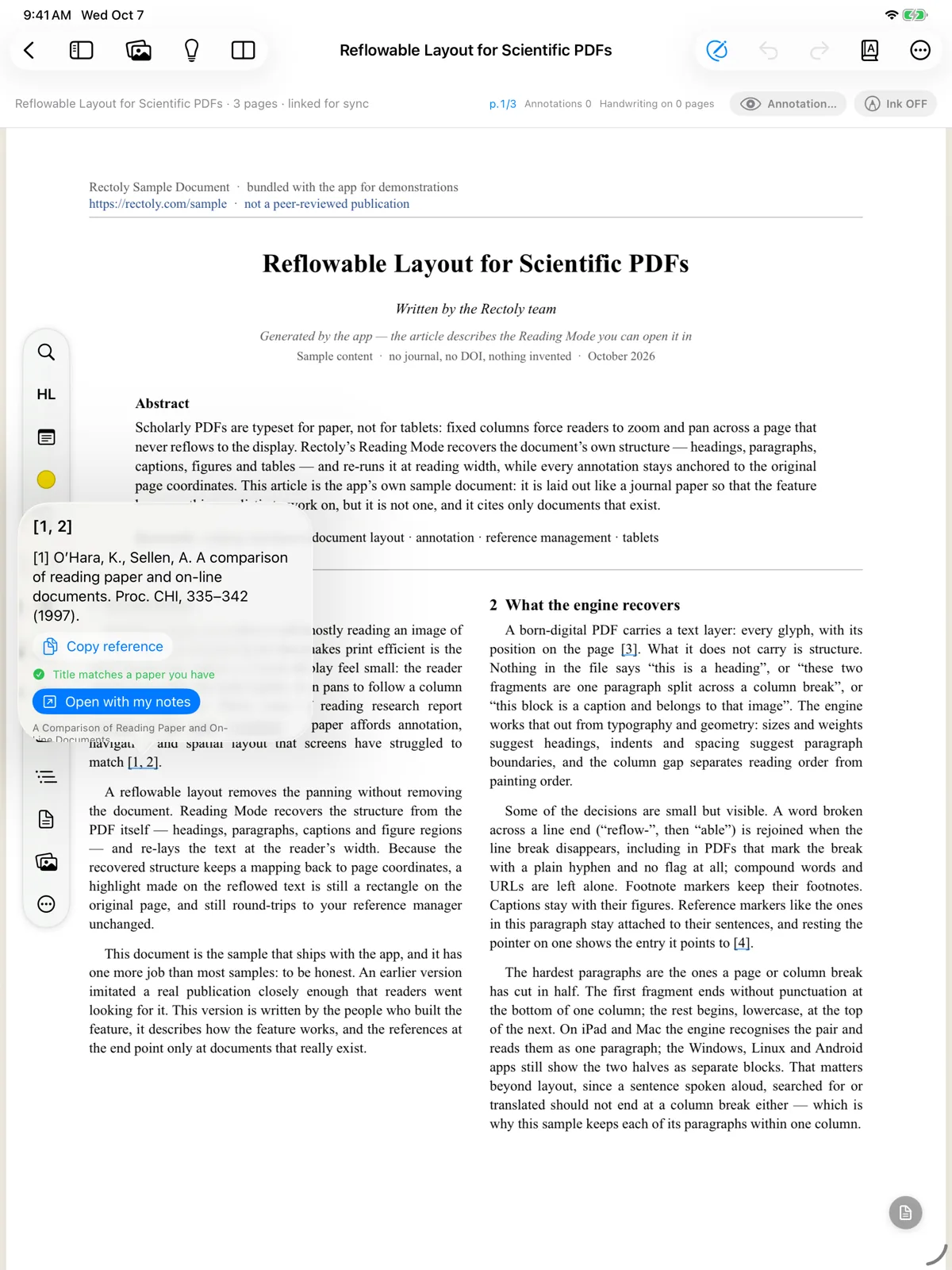
What the card shows
The card shows the entry from the paper's reference list.
- It also tells you whether that paper is in your library: In your library, Title matches a paper you have, This is the paper you are reading or Not in your library.
Buttons on the card:
- Open with my notes opens the cited paper from your library, with your highlights and notes.
- Search your library looks for the paper when it was not matched.
- Copy reference copies the entry's text.
- Open DOI, Open on arXiv or Open link opens the paper on the web.
- Show in reference list jumps to the entry; Back to where I was reading returns you.
Mentions of figures
- For a mention such as "Figure 3" you get a small preview of the figure, with Show beside (puts it in the figure panel) and Jump to figure or table.
Citations that are not recognized
Some citations cannot be matched to the reference list.
- Superscript numbers, footnotes, "ibid." and Japanese author–year citations are not recognized.
- On Android only numbered citations such as [12] are recognized.
Citation cards are free. Opening the cited paper in a second pane beside the one you are reading is included in the purchase — see Two panes.