Sync the library
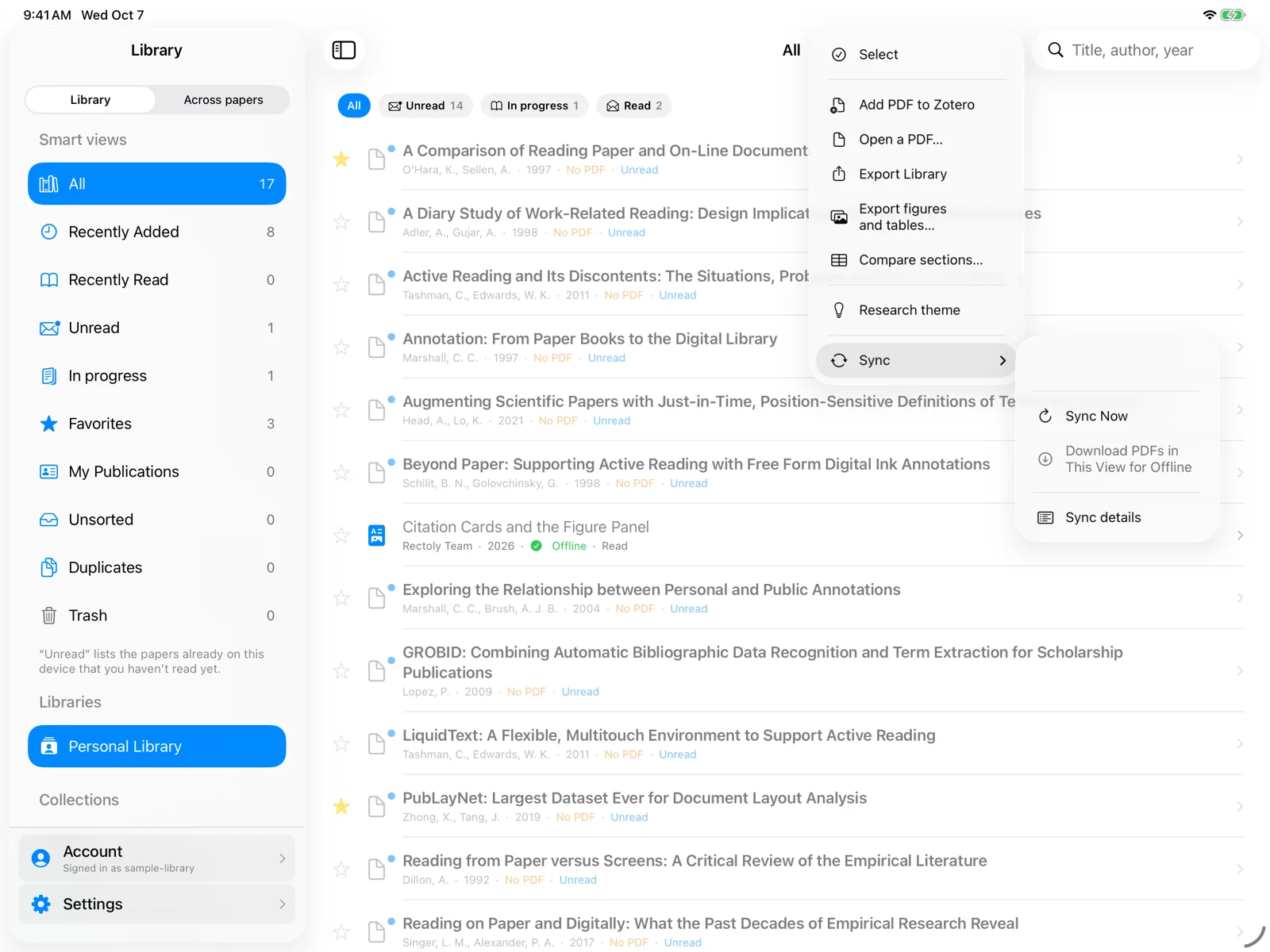
Rectoly syncs the library by itself when the library opens. To sync now:
- Choose … › Sync, then the sync of changes or the full re-fetch. You can also pull the list down.
- Click Sync above the library list. Rectoly also syncs each time it starts.
- Choose ⋯ › Sync changes or Full sync. You can also pull the list down.
Progress appears above the list, and when it is done Rectoly tells you how many papers were synced or changed.
- Sync changes fetches only what changed since the last sync. It is the usual choice.
- Full sync fetches the whole library again. Use it if something looks out of date after a normal sync.
Getting your library the first time is free, and so is the automatic sync when the library opens. After that, syncing on demand to bring in new and changed papers is included in the purchase. It is free during the 14-day trial. See Trial and purchase.
Offline and connection problems
- If Rectoly cannot reach Mendeley or Zotero, it keeps showing the papers from the last sync (on Windows, "Could not sync. Showing the papers synced last time."). Try again when you are online.
- Offline, only papers whose PDFs are already on the device open. See Downloading PDFs and reading offline.
Library sync and annotations
Syncing the library brings in the list of papers, collections and tags. It does not send your highlights and notes: those sync paper by paper when you open and annotate a paper. See Annotation sync.
Differences
- The Zotero edition fetches the whole library on every sync, so a sync of changes and a full sync do the same thing.
- Collections, tags and details are edited in Mendeley Reference Manager or Zotero; sync to see the changes in Rectoly. See Browsing and filtering the library.